
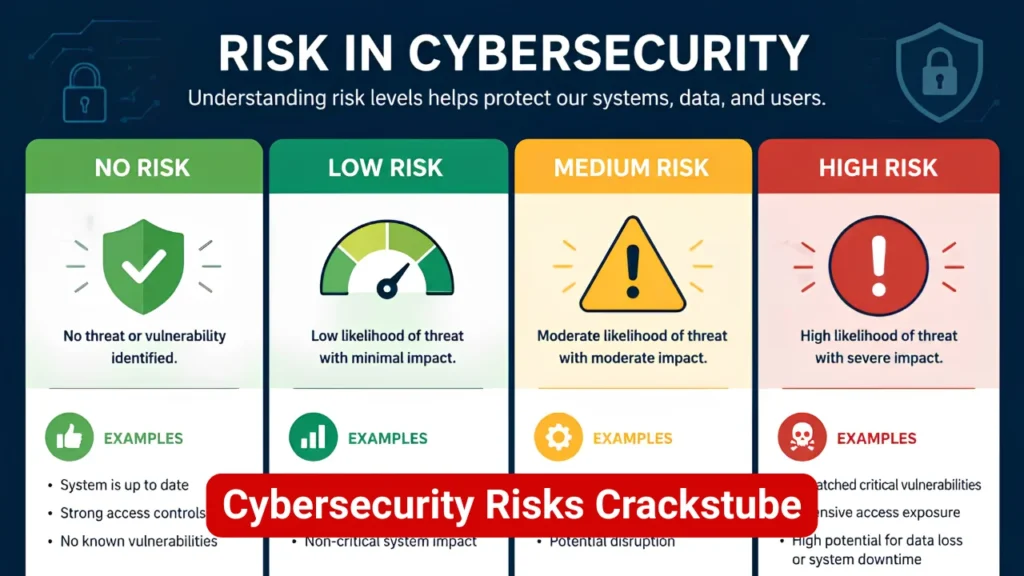
Searching for “cybersecurity risks Crackstube” usually means the user wants a practical answer to one question: Can a Crackstube-related website, download, stream, or app put my device or personal information at risk? The answer cannot be reduced to the name alone because “Crackstube” appears across different online contexts. Some results associate the term with unofficial streaming or pirated content, while others use similar names for publishing or technology sites.
The sensible approach is to assess the specific domain and what it asks you to do. A website that requests an executable download, browser extension, unusual permissions, login credentials, or disabled security software deserves much more scrutiny than an ordinary informational page. Cybersecurity agencies and major technology companies have repeatedly warned that pirated software, unofficial downloads, deceptive advertisements, malicious redirects, and compromised websites can be used to distribute malware or steal information.
Is Crackstube a cybersecurity risk?
Potentially, yes, but the risk should be attributed to the specific website, file, advertisement, redirect, or application rather than automatically to every page using the Crackstube name.
This distinction is important for accurate cybersecurity analysis.
Current search results show that the term is used inconsistently. Some pages connect it with unofficial video or pirated-content services, while others describe a conventional publishing or information website. Therefore, saying that every Crackstube-branded page is malicious would go beyond the available evidence.
However, if a Crackstube-related result leads to pirated software, unauthorized downloads, modified applications, suspicious streaming apps, or aggressive third-party advertising, the risk profile changes considerably.
Microsoft warns that pirated material can be distributed through compromised websites and that modified software may contain malware or unwanted programs. The FBI has likewise warned that illegally copied software can contain malicious code capable of stealing credentials and personal information.
Also Read: Crackstube App
What are the main cybersecurity risks associated with Crackstube?
The most relevant risks fall into several categories.
| Risk | What can happen | Typical warning sign |
| Malware | Device becomes infected with malicious software | Unknown executable or APK |
| Infostealer | Passwords, cookies or other data are stolen | “Activator” or modified app |
| Phishing | Fake login page captures credentials | Unexpected login request |
| Malvertising | Advertisement redirects to harmful content | Aggressive pop-ups |
| Browser exploitation | Vulnerable browser is targeted | Outdated browser |
| Adware/PUA | Unwanted software or excessive advertising | Bundled installer |
| Ransomware | Files may become inaccessible | Suspicious executable |
| Privacy exposure | Tracking or personal information collection | Excessive permissions |
| Account takeover | Stolen credentials or session tokens are abused | Reused passwords |
| Network compromise | Infected devices may affect other devices | Malware-enabled apps |
The important point is that not every incident requires the user to intentionally download malware. CISA describes drive-by downloads as situations in which malicious code can be delivered when someone visits a seemingly legitimate or malicious website. It also identifies malvertising as a mechanism that can redirect users toward malware or data theft.
1. Malware hidden inside cracked software
One of the most serious cybersecurity risks arises when a Crackstube search leads to cracked software, keygens, activators, patches, or modified installers.
The fundamental problem is trust.
When legitimate software is modified to bypass licensing or activation, the user is no longer receiving an unchanged package directly from the original developer. An attacker can modify the executable and present the altered file as a working crack.
The FBI has specifically warned that pirated software can contain malware. Reported consequences include keystroke logging, theft of personally identifiable information, data corruption, and even misuse of webcams or microphones.
Microsoft provides an even more specific warning: programs used to generate software keys, known as keygens, frequently install malware alongside the intended functionality.
What types of malware could be involved?
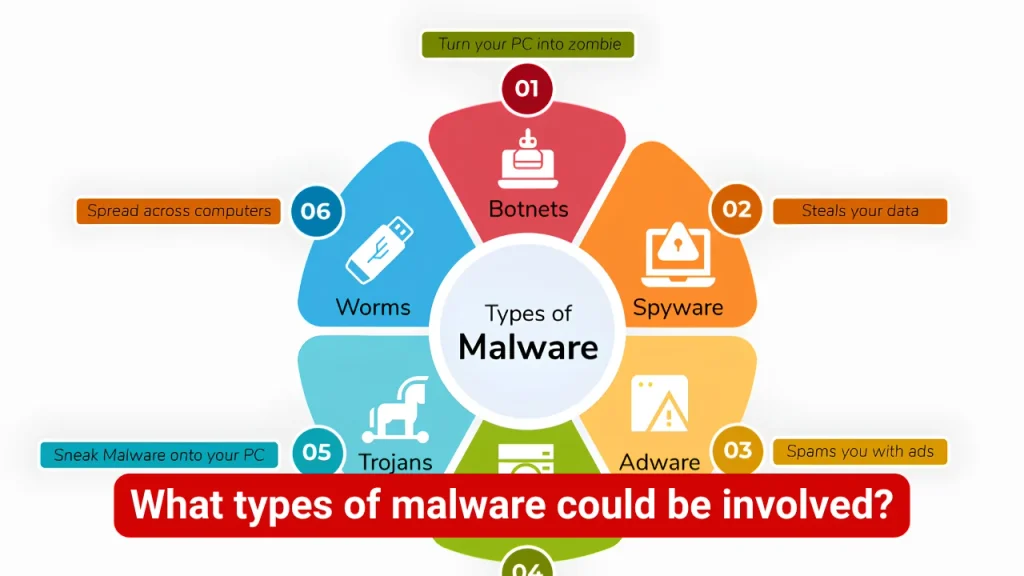
Depending on the file and threat actor, risks can include:
- Trojans
- Infostealers
- Remote-access malware
- Keyloggers
- Ransomware
- Spyware
- Adware
- Browser hijackers
- Backdoors
- Botnet malware
- Potentially unwanted applications
The danger is not limited to obvious viruses. A modern infostealer, for example, may operate quietly while collecting browser credentials, cookies, session information, or other valuable data.
Also Read: Crackstube Malware
2. Credential theft and account takeover
A compromised device can become a stepping stone to compromised online accounts.
An attacker may target:
- Email passwords
- Social media credentials
- Shopping accounts
- Gaming accounts
- Cloud storage
- Cryptocurrency accounts
- Banking credentials
- Browser-stored passwords
- Authentication cookies
This is particularly serious because attackers do not always need the user’s password directly. Stolen session information can sometimes allow an attacker to impersonate an already authenticated user.
The FBI has warned that malware associated with pirated software can capture usernames and passwords and steal personally identifiable information.
Why email accounts are especially important
Email should be treated as a high-value account.
If an attacker gains access to an email account, they may be able to reset passwords for other services, intercept security notifications, or impersonate the account owner.
That is why a suspected infection should not be treated merely as a device-cleaning problem. Account security may need to be addressed at the same time.
3. Malvertising and deceptive advertisements
A user does not necessarily have to download a cracked application to encounter a security problem.
Some questionable websites depend heavily on third-party advertising. Those advertising systems can create redirects, misleading buttons, fake warnings, or unwanted download prompts.
CISA defines malvertising as malicious advertising that can expose users to malware, redirect them to corrupted websites, or facilitate data theft. It also notes that malicious advertising can appear even during ordinary web browsing.
This is one reason a page that looks harmless can still produce a dangerous browsing experience.
Common deceptive advertising patterns
Watch for:
- “Your device is infected” alerts
- Fake browser-update notifications
- Multiple oversized Download buttons
- Fake CAPTCHA instructions
- Countdown timers
- “Allow notifications” prompts
- Unexpected redirects
- Fake antivirus warnings
- Pop-ups claiming a file is ready
- Requests to install an extension
A browser notification request is not the same thing as malware, but granting permissions to an unfamiliar website can create a persistent nuisance and potentially expose the user to further deceptive content.
Also Read: Cybersecurity Threats Crackstube
4. Phishing and fake login pages
Another major risk is social engineering.
Instead of attacking the browser directly, a malicious page may simply convince the user to hand over the information voluntarily.
For example, a fake page might claim:
“Sign in to continue watching.”
The page could imitate a familiar service and ask for an email address and password.
Google describes phishing as a form of social engineering in which a website tricks users into providing personal or financial information under false pretenses.
The safest rule is simple:
Do not enter a password into a page merely because the page looks professional.
Check the domain, HTTPS connection, account context, and whether the login request makes sense.
5. Drive-by downloads and browser exploitation
There is a common misconception that malware requires a user to download and manually install an obviously suspicious program.
That is not always the case.
CISA identifies drive-by downloads as a threat in which malicious code can reach a device through interaction with a seemingly legitimate website.
Microsoft also explains that compromised webpages can exploit known software vulnerabilities, which is why keeping browsers and operating systems updated is important.
Modern browsers have substantial security protections, so simply visiting an unfamiliar website does not mean infection is inevitable. But outdated software, malicious downloads, dangerous extensions, and unsafe user actions can increase exposure.
6. Privacy and tracking concerns
Cybersecurity is not only about viruses.
Privacy is another part of the risk calculation.
An unfamiliar website may use:
- Advertising trackers
- Analytics scripts
- Browser fingerprinting
- Cookies
- Notification permissions
- Third-party embedded content
- Suspicious browser extensions
Not every tracking technology is malicious. Advertising and analytics are common across legitimate websites.
The concern arises when the website’s ownership, privacy practices, advertising partners, or data-handling policies are unclear.
For users who handle sensitive work, personal documents, financial accounts, or business information, this distinction matters.
Also Read: Crackstube Videos
7. Potentially unwanted applications
Not every unwanted program qualifies as traditional malware.
Microsoft uses the term potentially unwanted application, or PUA, for software that may exhibit behavior users did not expect, such as excessive advertising, cryptomining, or installing additional software.
A downloaded “free” application might technically perform the advertised function while also installing:
- Browser toolbars
- Adware
- Unwanted extensions
- Background processes
- Additional applications
- Cryptocurrency mining components
This is one reason a successful installation does not prove that a download was safe.
8. Ransomware and destructive malware
Ransomware represents a more severe outcome.
Instead of quietly stealing information, ransomware can encrypt files and demand payment.
A cracked installer provides attackers with an attractive delivery mechanism because the user may voluntarily execute a program and, in some cases, grant it elevated permissions.
That combination can give malicious software considerably more access than a normal browser tab.
For anyone using a computer for business, client work, school, or valuable personal files, the potential cost of an infection can greatly exceed the money saved by obtaining unauthorized software.
9. Botnets and abuse of infected devices
An infected device can become useful to someone else.
Some malware establishes communication with attacker-controlled infrastructure and turns the victim’s device into part of a larger network.
The FBI’s 911 S5 investigation provides a real-world example of how malware distributed through pirated software could ultimately turn infected devices into part of a botnet and proxy infrastructure.
This illustrates an important cybersecurity principle:
The attacker may not be interested only in your files. Your device itself can become a resource.
Also Read: Crackstube Streaming Sites
Crackstube cybersecurity risks vs. normal website risks
It is useful to separate risk factors rather than assuming the domain name itself determines safety.
| Situation | Relative concern | Why |
| Reading an ordinary article | Lower | Limited interaction |
| Clicking unknown advertisements | Medium | Redirect and phishing exposure |
| Allowing browser notifications | Medium | Persistent unwanted content |
| Downloading an unknown file | High | Direct malware exposure |
| Installing a cracked executable | Very high | Untrusted code execution |
| Installing an unofficial APK | Very high | Sideloaded code and permissions |
| Disabling antivirus to install a crack | Extremely high | Removes an important security control |
| Entering banking credentials on an unknown page | Extremely high | Direct financial exposure |
These categories are not mathematical risk scores. They are practical indicators of how much trust the user is placing in an unknown source.
Why “the download worked” does not prove it is safe?
This is one of the most important points in the entire topic.
A malicious program can work exactly as advertised.
For example, suppose someone downloads a modified video editor. It opens correctly, exports videos, and appears completely normal.
That does not establish that the installer is clean.
Malware may operate silently in the background while the legitimate-looking application performs its advertised function.
The FBI has documented how malware can steal credentials and personal information while remaining part of a seemingly legitimate software package.
Functionality is not evidence of integrity.
Warning signs of a risky Crackstube-related website
Use extra caution when a website does one or more of the following:
- Tells you to disable Microsoft Defender
- Tells you to turn off your firewall
- Requires administrator privileges for an unexplained reason
- Provides an unknown .exe, .msi, .apk, or similar executable
- Uses several fake Download buttons
- Opens repeated redirects
- Requests unnecessary personal information
- Demands cryptocurrency for access
- Tells you to install an unknown browser extension
- Claims your computer has a virus through a browser pop-up
- Uses fake CAPTCHA instructions
- Provides no credible ownership information
- Has constantly changing domains
- Promises expensive software for free
- Uses “pre-activated,” “full unlocked,” or “no license required” language
Microsoft specifically recommends obtaining software from official vendors and warns that third-party downloads may be modified to include malware or other threats.
Also Read: Crackstube Digital
How to check a Crackstube website before interacting with it?
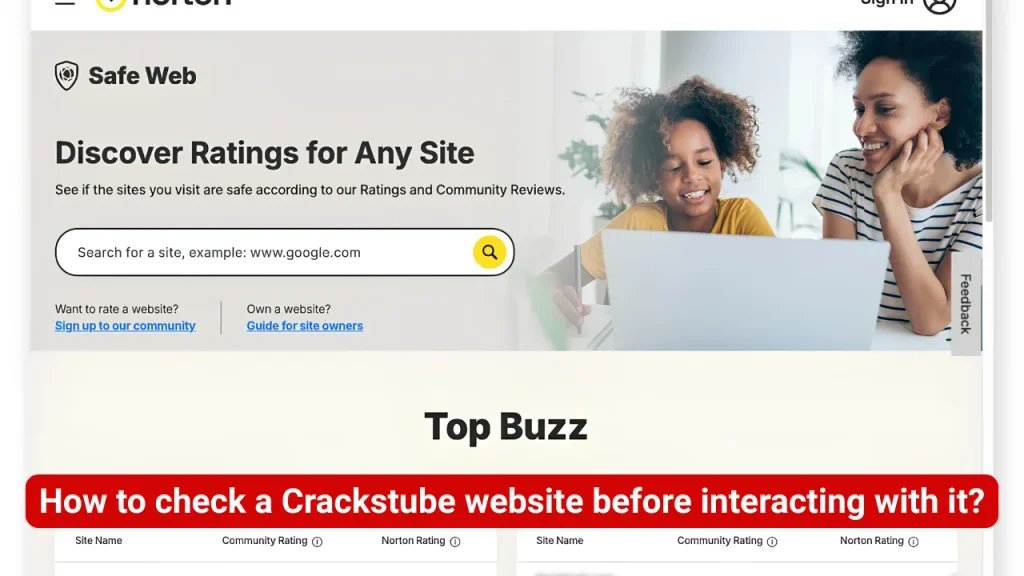
A few checks can dramatically reduce unnecessary exposure.
1. Verify the exact domain
Do not rely on the search-result title alone.
Look at the complete domain and check whether it belongs to the organization you expect.
2. Check the website’s identity
Look for:
- Company or operator information
- Contact details
- Privacy policy
- Terms of service
- Copyright information
- Consistent branding
- A legitimate support channel
Lack of transparency is not automatic proof of malware, but it should reduce your level of trust.
3. Do not treat Google rankings as proof of safety
A high search position is not a security certificate.
CISA specifically warns about SEO poisoning, where attackers manipulate search visibility to make malicious websites appear prominently in search results.
Google also maintains Safe Browsing systems designed to identify phishing, malware, and unwanted software resources, although no detection system can identify every harmful website immediately.
4. Check the download source
For software, prefer:
- The official developer
- Microsoft Store
- Apple App Store
- Google Play
- An established vendor repository
Microsoft recommends downloading applications from trusted sources rather than unfamiliar websites.
Also Read: Crackstube Internet
What should you do if you already downloaded a Crackstube file?
Do not panic, but do not assume you are safe either.
If you downloaded the file but did not open it
The situation is generally easier.
- Do not execute the file.
- Delete it.
- Empty the recycle bin.
- Run an up-to-date security scan.
- Check your browser’s downloaded-file history.
- Avoid downloading the same file from another mirror.
If you opened or installed it
Take stronger precautions.
- Disconnect the device from the internet if you suspect an active infection.
- Run a full security scan.
- Update your operating system and browser.
- Remove unfamiliar applications and extensions.
- Review browser notifications and permissions.
- Change important passwords from a known-clean device.
- Enable multifactor authentication.
- Monitor email, banking, social, and shopping accounts.
- Check for unusual account activity.
- Consider professional incident-response help if the device contains sensitive information.
The FBI recommends updated security software, password changes, and contacting financial institutions promptly when a device may have been compromised.
Should you change your passwords after a suspected infection?
Yes, if you executed an untrusted program and there is a reasonable possibility of credential theft.
Prioritize:
- Primary email
- Banking and financial services
- Password manager
- Apple or Google account
- Microsoft account
- Social media
- Work accounts
- Shopping accounts
- Gaming accounts
Use a clean device when possible.
Also avoid simply changing a compromised password back to the same password. Use unique credentials and enable MFA wherever available.
Does antivirus make Crackstube downloads safe?
No.
Antivirus is an important defensive layer, but it should not be treated as permission to download anything.
Microsoft recommends real-time security protection and keeping software updated, but it also advises users to obtain software from trusted sources.
There is an important difference between:
“My antivirus did not detect this file.”
and
“This file comes from a trustworthy source and has been independently verified.”
The second is a much stronger security position.
Also Read: Crackstube Resort
Is visiting a Crackstube page enough to infect a device?
Not necessarily.
This is where cybersecurity articles often become unnecessarily alarmist.
Simply loading an unfamiliar webpage does not automatically mean that a device has been infected. Modern browsers use sandboxing, site isolation, Safe Browsing protections, permission controls, and other defenses.
However, the risk can increase if the website:
- Exploits an unpatched browser
- Uses malicious advertising
- Delivers deceptive downloads
- Tricks the user into installing software
- Requests dangerous permissions
- Redirects to phishing pages
- Encourages installation of unofficial applications
CISA and Microsoft both document scenarios in which compromised or malicious webpages can contribute to malware infections.
Crackstube and mobile cybersecurity
The same concerns apply to smartphones and tablets.
The major difference is the form of the software.
Android users may encounter unofficial APK files, while iPhone and iPad users generally operate within Apple’s more controlled application distribution model.
The FBI has recently warned users to avoid unofficial applications and sideloading because malicious applications can contain backdoors or other harmful components.
Mobile warning signs
Be cautious if a website asks you to:
- Install an APK from an unknown source
- Disable Play Protect
- Grant accessibility permissions unnecessarily
- Allow an unknown app to install other apps
- Give an application SMS access without a clear reason
- Install a configuration profile you do not recognize
- Turn off device security settings
Crackstube and streaming devices
Pirated streaming is not limited to computers.
Smart TVs, Android TV boxes, streaming sticks, and other connected devices can also become targets.
The FTC has warned that illegal streaming apps and add-ons can distribute malware, potentially exposing other devices on the same wireless network.
The FBI has also warned against free streaming devices and unofficial applications that may contain malware or backdoors capable of hijacking network resources.
That means an apparently harmless streaming device can become a network-security issue.
A safer approach to free software and entertainment
If the objective is simply to avoid paying for something, there are usually safer options.
Consider:
- Free and open-source software
- Official free tiers
- Trial versions
- Student licenses
- Developer discounts
- Open-source alternatives
- Ad-supported legitimate streaming
- Public-domain content
- Official promotional offers
The security principle is straightforward:
Save money without giving an unknown third party control over your device.
A practical Crackstube safety checklist
Before clicking or downloading, ask:
Website
- Is the exact domain known?
- Is ownership transparent?
- Does the site have legitimate contact information?
- Does its purpose match what it claims?
Download
- Is the file coming from the official developer?
- Is it an executable or APK?
- Does it require administrator privileges?
- Does it ask you to disable security software?
Browser
- Is the browser fully updated?
- Did an unexpected redirect occur?
- Did a new extension appear?
- Did the site request notification permissions?
Account security
- Did you enter a password?
- Did you enter payment information?
- Is the password reused elsewhere?
- Is MFA enabled?
If several answers look suspicious, stop rather than trying to push through the warning.
The deeper cybersecurity lesson behind Crackstube
The most useful insight is that the security risk often comes from the trust chain, not the brand name.
Consider this chain:
Search result → website → advertisement → redirect → download page → installer → application → permissions → online accounts
Every step creates another opportunity for deception.
A legitimate software publisher controls much of this chain. An unofficial piracy ecosystem may involve unrelated domains, advertising networks, file hosts, uploaders, mirrors, redirect services, and anonymous operators.
That makes accountability and verification much harder.
Europol’s recent work against illegal streaming networks also illustrates that these services can involve sophisticated, distributed infrastructure rather than one simple website. Investigators have linked illegal streaming ecosystems with malware, spyware, data theft, and other forms of online exploitation.
Information gain: the risk is not simply “malware”
A useful way to evaluate cybersecurity risks Crackstube is to think in layers.
Layer 1: Browsing risk
Malvertising, redirects, phishing and deceptive prompts.
Layer 2: Download risk
Modified installers, APKs, keygens and bundled unwanted software.
Layer 3: Execution risk
Malware receives permission to operate on the device.
Layer 4: Credential risk
Passwords, cookies and authentication data may be exposed.
Layer 5: Financial risk
Banking, payment and shopping accounts may become targets.
Layer 6: Network risk
An infected device can potentially affect other connected systems.
Layer 7: Recovery risk
Removing malware, restoring files and securing accounts can consume far more time and money than the original software would have cost.
This layered model is more useful than simply labeling a website “safe” or “unsafe.”
Frequently Asked Questions
Is Crackstube safe?
There is no universal answer because the name appears in different online contexts and does not by itself identify one verified service. If a specific Crackstube-related website offers pirated material, unknown downloads, unofficial applications, or deceptive advertising, treat it with considerable caution.
Can Crackstube give you a virus?
A website using the Crackstube name could potentially expose users to malware through malicious downloads, deceptive advertisements, compromised pages, or unofficial applications. However, the name itself is not evidence that every associated website is infected.
Can cracked software contain malware?
Yes. The FBI and Microsoft both warn that pirated or cracked software can contain malware. Microsoft specifically notes that key-generating programs frequently install malware.
Can visiting a suspicious website infect your computer?
It is possible, particularly when a browser or its components are vulnerable or when a malicious website uses drive-by downloads, deceptive content, or other exploitation techniques. Keeping browsers and operating systems updated reduces this risk.
Should I download a Crackstube APK?
Avoid unofficial APK downloads when the source cannot be independently trusted. The FBI warns that unofficial application stores and sideloaded applications can increase the risk of installing malicious software or backdoors.
What if I accidentally downloaded a Crackstube file?
Do not open it. Delete the file and run a current security scan. If you already executed or installed it, update your security software, scan the device, review installed applications and extensions, and consider changing important passwords from a clean device.
Can antivirus detect every Crackstube-related threat?
No. Security software is an important defensive layer, but detection is not guaranteed. Source verification, software updates, careful permissions, and avoiding untrusted downloads remain important.
Can a pirated streaming app affect other devices?
Yes. The FTC warns that malware distributed through illegal streaming applications can potentially spread within a wireless network and put other devices and sensitive information at risk.
Is Crackstube legal?
The legal position depends on the specific website, content, activity, and jurisdiction. A search term itself is not illegal. Copyright and anti-circumvention laws can apply to unauthorized distribution, downloading, streaming, or software modification depending on local law.
What is the safest alternative to Crackstube?
For software, use the official publisher or a reputable app store. For entertainment, use legitimate streaming platforms and authorized content providers. For free software, consider open-source or officially supported free alternatives.
Also Read: Crackstube Reviews
Conclusion
The biggest cybersecurity risks associated with Crackstube are not tied to the name alone. They arise when an unfamiliar domain leads users toward pirated software, malicious downloads, deceptive advertisements, phishing pages, unofficial apps, or excessive permissions. The safest approach is simple: verify the exact website, avoid untrusted executables and APKs, keep devices updated, use reputable security software, and never disable security protections to install questionable content.

Tasha Harshman is a versatile writer who explores a range of topics with a special focus on entertainment. She enjoys sharing clear, engaging insights about movies, celebrities, trends, and pop culture.

